- Published on
Next.js에서 namp사용
- Authors

jangth
1. NCloud 접속, 인증키 발급
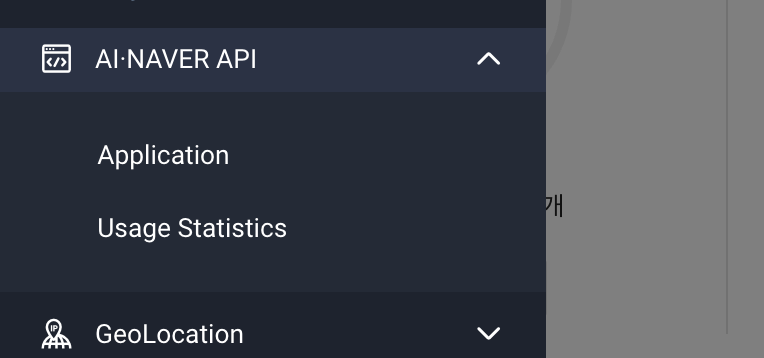
NCloud에 접속해서 콘솔에서 Application을 클릭한다.
이후 Application은 등록하면 인증 정보를 확인있다. naver maps를 사용하기 위해서는 ClientId가 필요하기 때문에 복사하여 env에 등록해둔다

아래 명령어를 사용하게 되면 naver maps api를 사용할 경우 타입을 제공해준다.
yarn add -D @types/navermaps
NextScript 컴포넌트
아래와 같이 루트 레이아웃에서 Script 컴포넌를 설정하고 이때 env파일에 복사해둔 clientid와 함께 src로 naver script 작성한다.
export default function RootLayout({ children }: { children: React.ReactNode }) {
  return (
    <html lang="en">
      <body className={`${pretendard.className}`}>
        <KakaoScript />
        {/* eslint-disable-next-line @next/next/no-before-interactive-script-outside-document */}
        <Script
          strategy="beforeInteractive"
          id="naver-map-script"
          type="text/javascript"
          src={`https://oapi.map.naver.com/openapi/v3/maps.js?ncpClientId=${process.env
            .NEXT_PUBLIC_NMAP_KEY!}&submodules=geocoder`}
        />
        <QueryProvider>
          <div className="flex items-center justify-center">
            <main className="w-sm md:w-md relative flex min-h-screen flex-col">
              <section className="overflow-y-auto pb-[3.625rem] pt-14">{children}</section>
            </main>
          </div>
          <div id="modal"></div>
        </QueryProvider>
      </body>
    </html>
  )
}
Map 컴포넌트
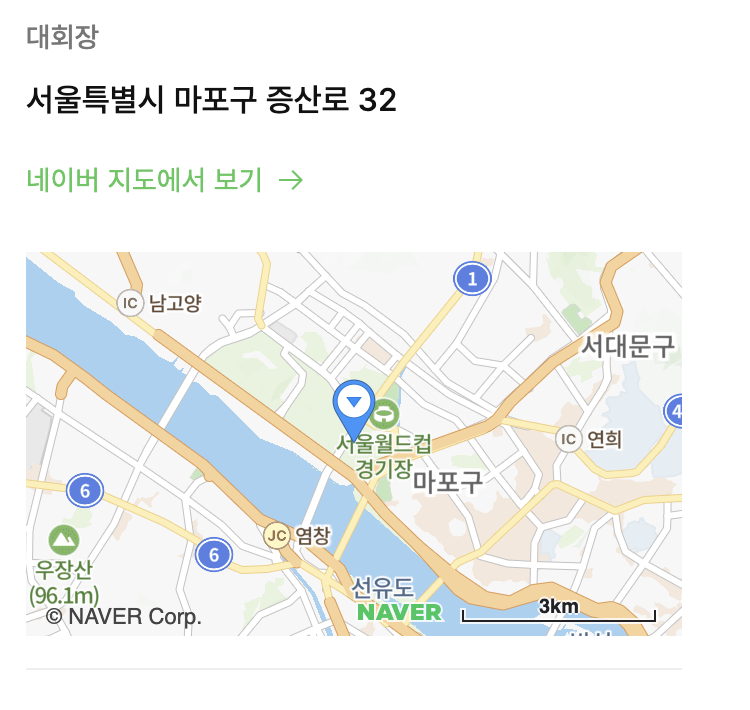
Map 컴포넌트는 내부적으로 (도로명)주소를 받아 좌표를 변환해주는 훅을 사용하여 naver 지도를 렌더링해준다.
(naver.maps.Map) https://navermaps.github.io/maps.js.ncp/docs/naver.maps.Map.html
interface Props {
  address?: string
}

export default function Maps({ address }: Props) {
  const mapRef = useRef<HTMLDivElement>(null)
  const { x, y } = useAddressToCoordinate({
    address,
  })

  const isValidCoordinate = x && y

  useEffect(() => {
    if (mapRef.current && isValidCoordinate) {
      const location = new naver.maps.LatLng(y, x)
      const mapOptions = {
        center: location,
        zoom: 12,
      }

      const map = new naver.maps.Map(mapRef.current, mapOptions)
      new naver.maps.Marker({
        position: location,
        map,
      })
    }
  }, [isValidCoordinate, x, y])

  return (
    <div className="absolute h-full w-full">
      {isValidCoordinate ? (
        <div ref={mapRef} className="h-full w-full" />
      ) : (
        <div className="flex h-full w-full items-center justify-center bg-slate-200">
          <p className="text-label-md">위치를 표시할 수 없습니다.</p>
        </div>
      )}
    </div>
  )
}
주소를 좌표로 변경해주는 useAddressToCoordinate
naver map apis는 naver maps 공식문서에 친절하게 설명해준다.
(naver.maps.Service)https://navermaps.github.io/maps.js.ncp/docs/naver.maps.Service.html
import { useEffect, useState } from 'react'

function useAddressToCoordinate({ address }: { address?: string }) {
  const [result, setResult] = useState<{ x: number; y: number }>()

  useEffect(() => {
    if (!address) return

    window.naver.maps.Service.geocode(
      {
        query: address,
      },
      (status, response) => {
        if (status === window.naver.maps.Service.Status.ERROR) {
          console.log('error')
        } else {
          if (response.v2.addresses.length <= 0) return
          const { x, y } = response.v2.addresses[0]
          setResult({
            x: Number(x),
            y: Number(y),
          })
        }
      }
    )
  }, [address])

  return {
    x: result?.x,
    y: result?.y,
  }
}

export { useAddressToCoordinate }